

Hiring should be good news. If you’re adding people, it usually means business is growing. But I see a lot of small businesses where a new employee spends their first few days waiting on a laptop that hasn’t arrived, a login nobody created or a software license nobody budgeted for. Most of that friction comes down to IT costs that weren’t planned ahead of time.
After payroll, technology is often one of the biggest costs of bringing someone new on board. The good news is that these costs are predictable once you know what to look for. Here are the five I help my clients plan for every time they hire.
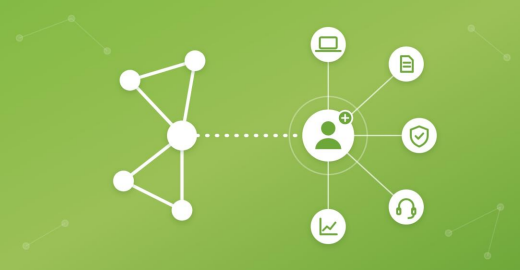
Every new hire connects to five areas of your IT budget.
01 Computers and equipment
This is the obvious one, but it still catches people off guard. Depending on the role, a new hire may need a laptop or desktop, monitors, a docking station, a headset and a mobile phone. Those pieces add up quickly.
Some roles also need more horsepower than others. CAD, engineering, architecture and design software usually needs a dedicated graphics card. Putting someone on an underpowered machine sets them up to fail, and you end up buying twice.
My recommendation: define a standard equipment package for each role before you post the job. You’ll know the cost upfront, and I can have the machine set up, fully patched and enrolled in monitoring before the person’s first day.
02 Software and licenses
Software subscriptions are some of the most predictable line items in a budget. You know which tools your team uses, and you renew them as long as they’re useful. Because they’re so routine, though, it’s easy to forget how many small pieces make up that monthly bill.
$20 a month here and $30 a year there adds up fast when you multiply it by every tool a new person needs: Microsoft 365, your line-of-business apps, a PDF editor, a password manager, security software and so on. Build an itemized list of every recurring software cost for each role. Then a new hire becomes a known number instead of a surprise on next month’s statement.
The same list helps when someone leaves. Licenses that aren’t reclaimed keep billing every month.
03 Accounts, access and security
This area carries more risk than the others. A late laptop costs you productivity, but a careless account setup can cost you a security incident. I suggest putting these procedures in place now, so every new hire is handled the same way:
- Accounts: Give everyone their own logins, with multi-factor authentication turned on from day one and a temporary password they have to change at first sign-in. A password manager keeps credentials out of sticky notes and spreadsheets.
- Physical access: Set up keycards or fobs in the employee’s own name. Borrowed or shared credentials make it impossible to know who came and went.
- Device protection: Every new computer should get the same antivirus, endpoint detection and monitoring as the rest of your machines before it ever touches your network.
- Training: Cover basic security awareness in the first week, including phishing emails, fake invoices and scam phone calls. New employees are a favorite target because they don’t yet know who’s who.
Give each person access to what their role needs and nothing more. That’s the core of a zero-trust approach, and it’s much easier to get right during onboarding than to clean up later.
04 IT setup and support time
Even if setup is covered by your support agreement or an in-house IT person, it still takes time. Configuring the computer, creating accounts, setting up email and printers, and walking the new person through it all can take several hours per hire.
When you’re onboarding several people in a short period, that time gets pulled from other projects or turns into extra billable hours.
You can’t just budget for the parts. Plan for the labor that keeps everything running, too. That way a new hire’s first day doesn’t stall the rest of your team.
05 Technology growth over time
One new employee isn’t going to overload your network. Ten might. Wi-Fi coverage, switch ports, internet bandwidth, firewall capacity, file storage and backups all have limits.
The problem is that most businesses don’t hire ten people in one week. Growth comes a person at a time, so it creeps up on you. Just as you can’t fit 30 employees into a 10-desk office, every network has a headcount where it starts to strain. Knowing that number ahead of time gives you room to plan upgrades before they become emergencies.
How to get ahead of it
Getting ahead of these costs comes down to preparation. IT should have a seat at the table whenever you’re deciding to grow the team, so everyone understands what a new hire really costs. Here’s a quick reference to start from:
| Item | Cost type | Plan for it by… |
|---|---|---|
| Computer and accessories | One-time | Setting a standard package for each role |
| Software and licenses | Recurring | Keeping an itemized list of every subscription a role uses |
| Accounts, access and security | Both | Using one checklist for logins, MFA, keycards, device protection and training |
| IT setup and support time | Labor | Giving your IT provider notice before the start date |
| Network and infrastructure | Periodic | Knowing the headcount where your current setup tops out |
Once a hire is approved, let your IT provider know as early as you can. The more notice I get, the smoother that first day goes.
If you’d like help building a hiring checklist and IT budget for your team, schedule a 10-minute discovery call with me. We’ll look at how your technology supports your current staff and what you’ll need as you grow. You can reach me at yurware.com.